Free Download Windows 11 Pro Superlite Classic Edition (No-TPM, Preactivated) ISO – Optimized for Performance and Simplicity.
Windows 11 Pro SuperLite 24H2 Download
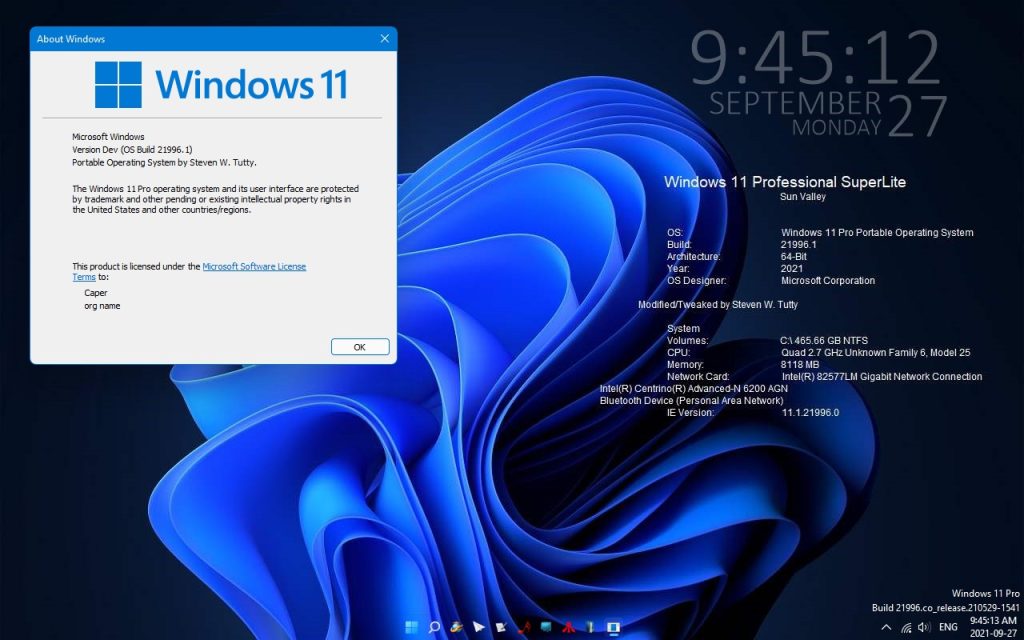
This lightweight and highly optimized version of Windows 11 is designed to breathe new life into older, low-spec PCs. It reimagines Windows as it was decades ago—free from UWP apps, the Microsoft Store, frequent updates, diagnostics, telemetry, and other modern system overhead, delivering a clean and efficient experience.
Windows 11 Pro Superlite features a multifunctional boot system, supports five languages by default, and allows additional language installations. Compatible with both modern and older computers and laptops, it offers exceptional speed and stability, making it an ideal choice for users seeking a streamlined and high-performance operating system. You can also download Windows 11 Pro Phoenix LiteOS.
Multifunctional Boot with Professionals Programs to help you
Take and Restore Backups
Test Your PC/Laptop Hardware
Do disk management tasks
Move Files Manage your files before installing the windows
Programs in Boot
File managing (This PC)
7zip
AOMEI Backupper Technician Plus
BOOTICE
Symantec Ghost
Minitool Partitions wizard Ultimate
Windows Password Changer
WinNT
FileExplorer
Core Temp
Crystal Disk Info
Crystal Disk Mark
CPU-Z
Ram Test
Gimagex
Windows 11 Pro Superlite Classic Edition – Installation & Features
Installation Note:
Select your preferred language to proceed with Windows installation. Alternatively, minimize the installation window and use any of the available programs.
Available Windows Editions:
1️⃣ Windows 11 Pro Lite + Windows Defender
✔️ Customizable Windows Features
✔️ Install Additional Languages
✔️ Built-in Protection Against Viruses
2️⃣ Windows 11 Pro Lite
✔️ Customizable Windows Features
✔️ Install Additional Languages
3️⃣ Windows 11 Pro Superlite + Windows Defender
❌ Windows Features Cannot Be Modified
❌ Additional Languages Cannot Be Installed
✔️ Fast Installation with Minimal System Footprint
✔️ Built-in Virus Protection
✔️ High-Speed Performance
4️⃣ Windows 11 Pro Superlite
❌ Windows Features Cannot Be Modified
❌ Additional Languages Cannot Be Installed
✔️ Ultra-Fast Installation with Minimal System Footprint
✔️ Optimized for Maximum Speed
5️⃣ Windows 11 Pro Ultralite(⚠️ Use at Your Own Risk!)
❌ No Further Information Available
Security Recommendation:
It is strongly advised to have at least one real-time antivirus installed. If you do not have a third-party antivirus, consider selecting an edition with Windows Defender for built-in virus protection. You can also download Windows 11 Nexus LiteOS.
Windows Features & Enhancements:
Minimal Preinstalled UWP Apps:
Microsoft Store
Xbox & Xbox Game Bar
Snipping Tool
Calculator
Camera
Sound Recorder
Alarms & Clock
Performance & System Tweaks:
✅ Classic Photo Viewer Enabled
✅ Reserved Storage Disabled
✅ Fast Startup Enabled (Reduces Shutdown Time)
✅ File Explorer Libraries Removed
✅ Hibernation Disabled
✅ Windows Updates Paused Until 2050
✅ “Take Ownership” Option Added
✔️ Microsoft Store Apps & Xbox Games Supported
✔️ Microsoft Account Sign-In Works Seamlessly
✔️ Printing & File Sharing Fully Functional
✔️ Classic Microsoft Games (Spider Solitaire, Minesweeper, etc.) Included
Download the Pre-activated ISO of Windows 11 Pro Phoenix LiteOS Gamer Edition (x64) for free. This optimized version enhances both gaming and productivity performance on your PC.
Windows 11 Pro Phoenix Ultra Lite 2025
Designed for optimal performance on older low-spec PCs, this edition minimizes storage usage, idle RAM consumption, and CPU processes. It enhances system responsiveness, reduces boot and software loading times, and boosts both gaming and productivity. Additionally, it features improved desktop aesthetics with taskbar transparency and custom themes, making it a great choice for modern high-end PCs as well. You can also download Windows 11 Professional Lite.
Windows 11 Pro Phoenix Gamer LiteOS – Key Features
Extreme Gaming Performance – Optimized for speed, smooth gameplay, and minimal resource usage to deliver the ultimate gaming experience. Supports UWP apps and Xbox Game Pass.
Ultra-Light System Usage – Runs on as little as 400 MB idle RAM with low CPU processes, ensuring lightning-fast boot times, software loading, and peak performance for both gaming and productivity.
Removed Features – Streamlined by eliminating non-essential components, including Cortana, Edge, Internet Explorer, BitLocker, WSL, Hyper-V, Speech, OneDrive, Defender, Windows Mail, Backup & Restore, Maps, Mixed Reality, Optional Features, and select fonts.
Disabled Features – To maximize efficiency, features like Error Reporting, Feature & Security Updates, UAC, Ads, Telemetry, Paging File, Hibernation, Power Throttling, Automatic Maintenance, and Download Blocking have been turned off.
Enhanced Desktop Aesthetics – Features a transparent taskbar, additional themes, and an improved context menu for better customization and usability.
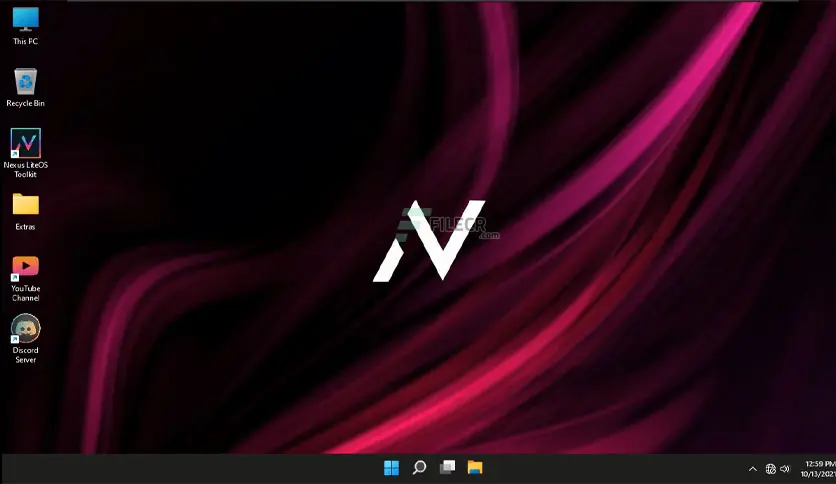
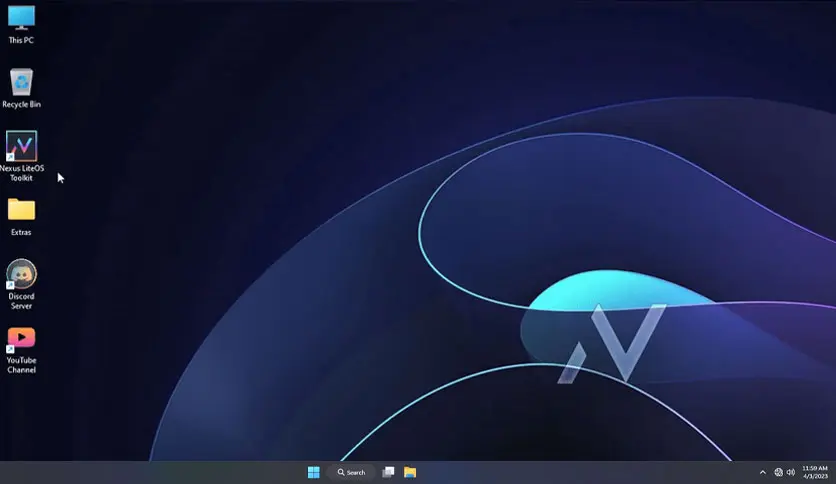
Minimal Pre-Installed Software – Gives you full control over your Windows environment by not including unnecessary pre-installed software or browsers. However, useful installation files for browsers and extra tools can be found in the ‘Extras’ folder on the desktop.
Pre-Installed Essential Components – Includes DirectPlay and .NET Framework 3.5, ensuring compatibility with older and modern games.
Clean Installation Recommended – For best results, create a bootable USB using Rufus and perform a clean install.
This optimized edition is designed to provide a fast, responsive, and distraction-free Windows experience, perfect for gamers and power users alike. You can also download Windows 11 Nexus LiteOS.
Technical Details and System Requirements
Processor:1 GHz or faster with two or more cores on a compatible 64-bit processor
RAM: 4 gigabytes or more
Storage: 4 GB or larger storage device
System Firmware: UEFI and Secure Boot capable
Graphics Card: Compatible with DirectX 12 or later with the WDDM 2.0 driver
Display: An HD display with at least 720p (1280×720) resolution larger than 9″ diagonal, 8-bits per color channel
Get the free download of Windows 11 Nexus LiteOS 21H2 (x64) ISO. This is a pre-optimized version of Windows 11 designed to enhance gaming performance, ensure privacy, and boost overall system stability.
Windows 11 Nexus LiteOS Download 64 Bit
Microsoft has unveiled its newest operating system, Windows 11, offering a range of exciting features and significant upgrades compared to its predecessor. Among the various versions gaining attention from tech enthusiasts is the Nexus LiteOS. In this article, we’ll explore Nexus LiteOS, its standout features, and the advantages it brings to users.
What is Windows 11 Nexus LiteOS?
Windows 11 Nexus LiteOS is a streamlined and optimized version of Windows 11, crafted to be lighter, faster, and more secure compared to the standard installation. It is a customized adaptation of the original Windows 11 OS, eliminating unnecessary bloatware and features that typically hinder performance. Nexus LiteOS is tailored to deliver a smoother and more efficient experience, making it ideal for users looking to run Windows 11 on low-end hardware or older systems. You can also download Windows 11 Professional Lite.
Major Features of Windows 11 Nexus
The Nexus LiteOS version of Windows 11 boasts several standout features that differentiate it from the standard Windows 11 installation. Here are some of the key highlights of Nexus LiteOS:
Lightweight: As previously mentioned, Nexus LiteOS is engineered to be lightweight and fast. It eliminates unnecessary bloatware and features that typically slow down the system, resulting in a more efficient and responsive operating system.
Privacy-focused: Nexus LiteOS prioritizes user privacy by incorporating features such as disabling telemetry and data collection, ensuring that your personal information remains secure.
Improved security: The OS comes equipped with enhanced security measures, including a built-in firewall and antivirus software, to safeguard users against online threats.
Customizable: Nexus LiteOS offers a high degree of customization, allowing users to tailor the operating system to their preferences and needs.
Compatibility: Despite being a streamlined version of Windows 11, Nexus LiteOS maintains full compatibility with most software and hardware that are supported by the standard Windows 11 installation. You can also download Windows 11 24H2 ISO.
Major Benefits of Windows 11 Nexus LiteOS
Now that we’ve explored the features of Nexus LiteOS, let’s delve into the benefits it offers to users. Here are some of the key advantages of Nexus LiteOS:
Faster Performance: Nexus LiteOS is engineered to be faster and more lightweight compared to the standard Windows 11 installation. This translates to quicker boot times, faster application loading, and enhanced overall system responsiveness.
Enhanced Privacy: With its privacy-focused design, Nexus LiteOS includes features like disabling telemetry and data collection, ensuring users have greater control over their personal information and online privacy.
Improved Security: Nexus LiteOS comes equipped with robust security features, such as a built-in firewall and antivirus software, providing users with added protection against online threats and vulnerabilities.
Compatibility with Low-End Hardware: Designed to run efficiently on low-end hardware or older computers, Nexus LiteOS is an excellent choice for users looking to breathe new life into aging devices.
Customizability: Nexus LiteOS offers a high level of customization, allowing users to tailor the operating system to their preferences and create a personalized computing experience.
Conclusion
Windows 11 Nexus LiteOS 64 Bit is a customized version of Windows 11, optimized to be faster, lighter, and more secure than the standard installation. It boasts several standout features, including privacy-focused settings, enhanced security measures, and a high degree of customizability. If you’re using an older computer or low-end hardware and want to run Windows 11, Nexus LiteOS is an excellent option to consider. It delivers faster performance, stronger privacy protections, improved security, and a more tailored user experience.
Windows 11 Nexus LiteOS 24H2 Download 64 Bit (Latest 2025) Free Download
Windows 11 is the newest version of Windows, released by Microsoft as part of the new generation of its flagship operating system. Windows 11 24H2 ISO Download build marked a significant design shift from Windows 10, introducing a sleek, modern interface with rounded corners, a centered Start menu, and updated taskbar icons, creating a more streamlined and visually appealing user experience.
Download Windows 11 24H2 ISO File 64-Bit for Free [2025]
Windows 11 24H2 comes with several new features aimed at enhancing productivity and usability, including Snap Layouts, which allows users to easily organize and multitask with multiple windows in custom layouts, and Snap Groups, which enables quick toggling between sets of apps. Additional improvements were made to virtual desktops, touchscreen support, and pen and voice inputs, reflecting Microsoft’s focus on adaptability across a wide range of devices.
Windows 11 24H2 64-bit also introduced significant performance and security upgrades, such as improved efficiency for memory and battery use and stringent requirements for TPM 2.0 and Secure Boot, enhancing device security and user data protection. Integrated Microsoft Teams on the taskbar and refined gaming features, like Auto HDR and Direct Storage, underscored Windows 11’s dual focus on both productivity and entertainment. As the foundation of Windows 11, 24H2 set the stage for a new era in Microsoft’s operating systems, combining innovative features with a modern aesthetic and enhanced security.
Windows 11 24H2 ISO Free Download
The new operating system can be installed using a DVD or an ISO file that can be written on a USB stick to create a bootable USB Key Windows 11.
Steps to Create a Bootable Disk of Windows 11
An easy tool like balenaEtcher or rufus tool can be used to do this. Install either of these to get started.
Firstly, Download the Windows 11 ISO from this Link.
Alternative Download Link Google Drive
Alternative Link OneDrive
ISO Creator
follows the guide to create a bootable drive.
Now install Windows 11 as explained in the video.
Windows 11 24H2 – The Latest Version
Microsoft has just released a new 24H2 on the Dev Channel. A lot of new features have been added to the new window11 build which makes it more modern and cleaner.
How to Download 11 24H2
Firstly, download windows 11 with ISO provided above
Now Sign up for the Microsoft insider preview
Go to settings and choose the dev channel
Check for update 2025
Microsoft Fluent Design System is the name given to Windows 11’s new design. This design is not only intuitive, but it is also consistent across devices. All devices, such as mobile phones and tablets, will have the same look and feel on Windows 11. A new animated graphical interface has also been implemented to improve its aesthetics. Additionally, transparent application windows and depth effects have been added to application windows. See Also, Windows 11.1 ISO.
Windows 11 Cloud Clipboard
The cloud clipboard was created to make copying and pasting between devices easier. An icon that allows users to associate their smartphone with their PC or Tablet will also be available. Continue on PC? A mobile device or tablet gives a user the ability to view content on a PC that they have been working on while on their mobile device. These capabilities have many similarities to Universal Apps.
Windows 11 Timeline
An individual can use a timeline to view files, applications, or websites that have previously been opened, and that can be viewed in the past. Windows account users have access to this history across all their devices. In the current version, only Word Pad, Office, and Paint can take advantage of this feature.
A PC can send and receive files via Bluetooth or WiFi from other users nearby when using the Windows 11 Near Share feature. Simply enable the feature from the notification center and you’ll be able to share files with others. You can send a document by selecting it and right-clicking it, then following the instructions that will appear.
Windows 11 eSIM
pre-integrated SIM cards will be supported by the new operating system. By doing so, notebook users will be saved from the hassle of having to activate their telecom via the store box. Simply attach their cloud profile to the notebook package.
Windows 11 System requirements
Install Windows 11 on a PC by meeting these basic requirements. Windows 11 may not be compatible with your device if it does not meet these requirements, so you might want to consider purchasing a new computer. In case your PC does not meet these requirements, you can check with the OEM of your device or, if your device is already running Windows 10, you can test compatibility with the PC Health Check app.
Compatible with DirectX 12 or later with WDDM 2.0 driver
Display:
High definition (720p) display that is greater than 9” diagonally, 8 bits per color channel
Internet connection and Microsoft accounts:
Windows 11 Home edition requires internet connectivity and a Microsoft account to complete the device setup on first use. Switching a device out of Windows 11 Home in S mode also requires internet connectivity. Learn more about S mode here. For all Windows 11 editions, internet access is required to perform updates and to download and take advantage of some features. A Microsoft account is required for some features.
FAQ of Windows 11
Question 1: Will there be Windows 11?
Answer: The Windows 11 Developer preview build
Question 2: Should I wait for Windows 11?
Answer: No, because Microsoft will not launch any Windows 11 shortly. If they do decide to launch newer versions of Windows such as 11, 12, 13, etc., then you may get an update so you do not have to worry.
Question 3: What happens when Windows 10 support ends?
Answer: Please provide the answer to this question. As soon as extended support for a particular version of Windows 10 ends, that version is effectively obsolete.
Question 4: When did Windows 11 come out?
Answer: When is windows 11 releasing? Windows 11 will be released to the general public in October 2021, according to Microsoft. Windows 10 and Windows 7 users can download it via the Update Centre.
Question 5: Will Windows 11 be free for Windows 10 users?
Answer: This is something like the Office 365 model, with one exception, Windows 10 feature updates are free and there is no subscription. Microsoft has no intention of creating a Windows 11 operating system unless it changes its mind. Versions of Windows 10 are called new versions.
Question 6: What’s the difference between Windows 10 and Windows 11?
Answer: Windows 11 has all the power and security of Windows 10 with a redesigned and refreshed look. The update also comes with some new features such as sounds and applications. All details have been taken into account. Your PC will have a refreshing experience as a result of it all.
Disclaimer
Microsoft has no affiliation with this website. The images on this site are Microsoft’s property. Information on this Website has been collected from sources believed to be reliable and is generally available to the public. Information on this Website may not be accurate, up-to-date, or complete. As the data have been compiled from a variety of sources, including those that are considered reliable and first-hand, we have taken due care and caution when compiling it.
While we try to ensure that the information, we provide is accurate, adequate, and complete, we cannot be held responsible for any errors or omissions or the results obtained from the use of such information, especially since we accept no financial liability whatsoever for the subscribers/users of this report. All estimates and forecasts contained herein are subject to change without notice.
Windows 11 24H2 ISO Free Download 64-bit – Latest Version 2025
![Windows 11 Pro Phoenix Ultra Lite Download [Latest 2025]](https://windows11activators.com/wp-content/uploads/2025/01/1-1.webp)
![Windows 11 Pro Phoenix Ultra Lite Download [Latest 2025]](https://windows11activators.com/wp-content/uploads/2025/01/2-1.webp)